Open the CRUX ParamEQ user manual 
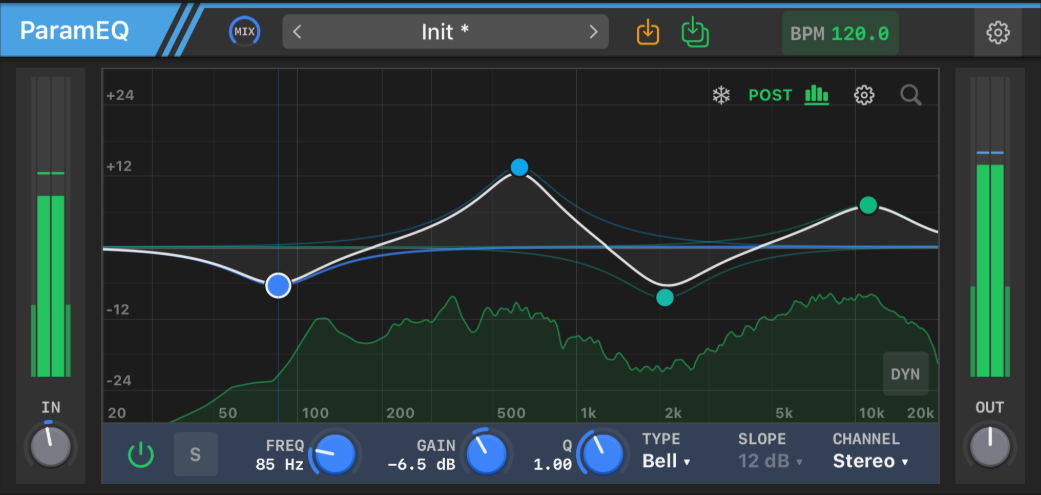
CRUX ParamEQ is a sixteen band parametric equaliser with a drawable curve, a spectrum analyser behind it, per band mid/side routing and per band dynamics. It runs on iPhone and iPad, as a standalone app and as an AUv3 effect plugin.
What it does
- Up to 16 bands.
- Drag dots to change curve, double tap empty space to add a band, double tap a dot to remove it. Every band draws its own response line, with a brighter curve for the sum.
- 8 band types: bell, low shelf, high shelf, high pass, low pass, notch, band pass and tilt. High and low pass at 6, 12, 24, 36 or 48 dB per octave.
- Frequency from 20 Hz to 20 kHz, gain from -30 dB to +30 dB, Q from 0.10 to 30.
- The bell uses a matched design that keeps its set gain and width right up to the top of the audio range, where an ordinary digital bell gets squashed flat.
- Per band channel routing: stereo, left, right, mid or side.
- Per band dynamics. The band listens to its own frequency region and moves its gain up to a set range as that region crosses a threshold, with attack and release. Drag the arrows on the display to set the range.
- Three processing modes: zero latency, natural phase which follows an analogue equaliser in level and phase to the top of the range, and linear phase at four resolutions. The plugin reports its delay to the host.
- Auto gain that compensates for what your curve is doing, weighted flat, pink or perceptual. It follows the set curve, not the dynamics, so it does not pump.
- Phase invert, both channels or one.
- A spectrum analyser pre or post, with freeze, smoothing, refresh, range, tilt and FFT size.
- Band solo, and a frequency zoom up to 24 times.
App and plugin
The standalone app processes live input from the microphone or an audio interface, or plays an audio file in a loop, and has a MIDI input that answers Program Change (for switching presets). The AUv3 plugin runs the same effect inside any AUv3 host and saves with the host project.